Case study 03 · GovTech
DigiLocker redesign
Transforming India’s digital document experience. DigiLocker already holds billions of authentic documents for millions of citizens — this redesign makes storing, finding and sharing them feel quick, clear and safe, especially on a phone.
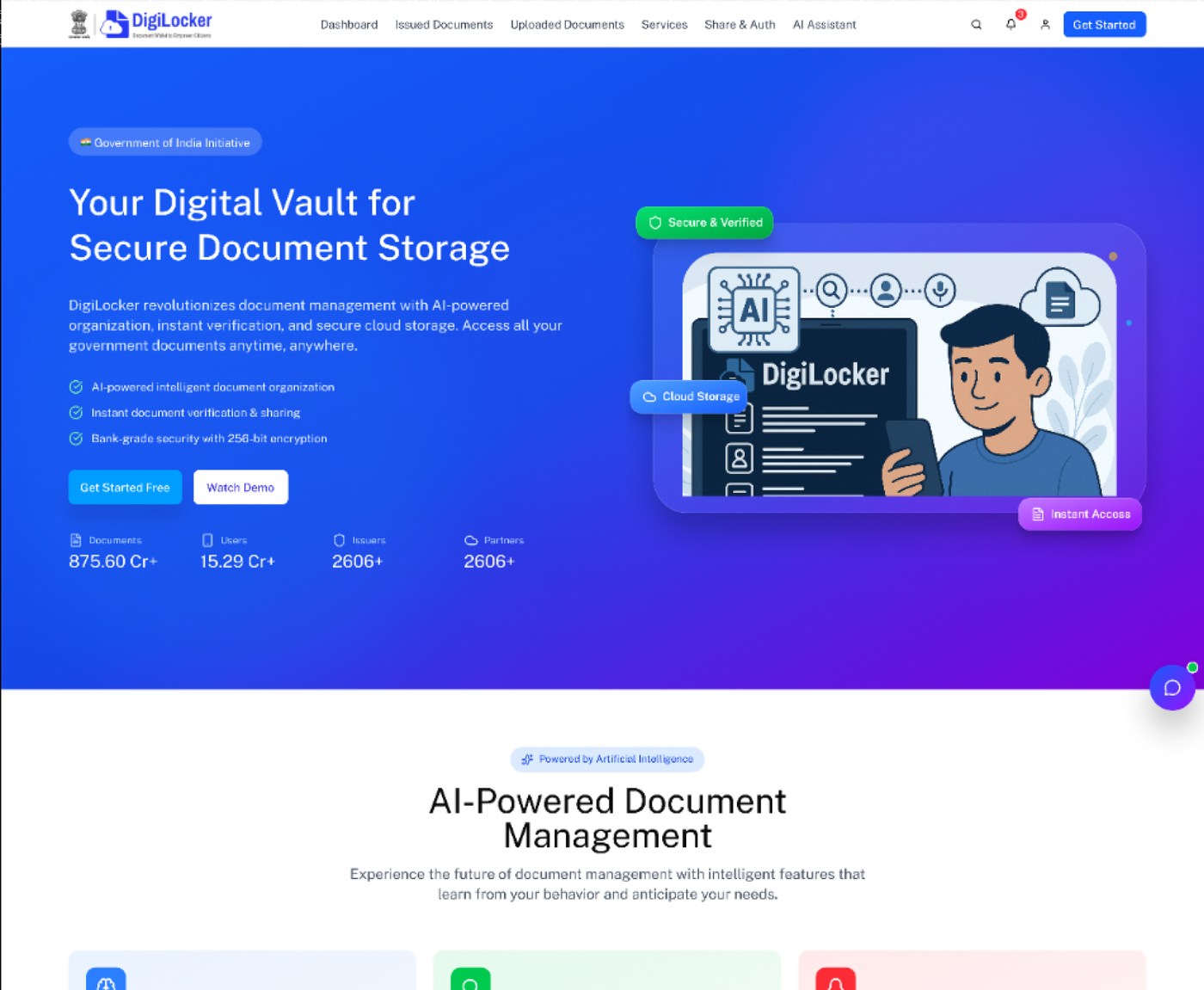
A revolutionary platform held back by its interface
DigiLocker, a flagship of the Digital India programme, gives citizens authentic digital copies of documents issued by government agencies and educational institutions. But usability problems were holding back adoption and satisfaction.
Complex interface
Cluttered information architecture and inconsistent patterns made the platform hard to navigate.
Poor mobile experience
Responsive issues made on-the-go document access frustrating and slow.
Security doubts
Unclear security indicators and complicated verification made people hesitant to share.
Time-consuming tasks
Uploading, organising and sharing took far longer than people expected.
How might we redesign DigiLocker to create an intuitive, accessible and trustworthy document experience that lets people store, access and share their important documents seamlessly?
- 01DiscoverResearch, competitive analysis, stakeholder interviews
- 02DefineSynthesis, personas, problem statements
- 03IdeateBrainstorms, user flows, IA
- 04DesignWireframes, hi-fi, design system
- 05TestUsability testing & iteration
Where people actually got stuck
Qualitative interviews with 24 users aged 22–55 ran alongside analytics from 100+ user sessions. We asked how often people access documents, how they organise them, what worries them about storing them online, and what would make them trust a digital platform.
Task completion for document upload
Average time to find and share a document
Overall satisfaction
Of users access via mobile
From the interviews
- 78% expressed concerns about document security and privacy.
- People struggled to find specific documents because of poor categorisation.
- Sharing was seen as complicated and unclear.
- Regular users rated the mobile experience 2.3 / 5, and wanted quick access to frequently used documents.
From the analytics
- 42% of users abandon the upload process.
- The navigation menu is opened 5.8 times per session on average.
- Search fails to find the document 38% of the time.
- Mobile bounce rate is 52% higher than desktop.
80+ ideas, cut to 15
A cross-functional workshop of designers, developers and stakeholders generated 80+ ideas in focused two-hour sessions. We voted on impact and feasibility, then developed the top 15 into actionable solutions.
Navigation
- Bottom nav on mobile
- Quick actions widget
- Search-first approach
- Categorised folders
Security
- Visual security badges
- Encryption indicators
- Sharing permissions UI
- Verification status
Efficiency
- One-tap sharing
- Smart suggestions
- Bulk operations
- Recently used
Organisation
- Auto-categorisation
- Custom tags
- Favourites
- Smart folders
Meet Priya
Priya Sharma
Marketing manager at a tech company · 32 · Mumbai
“I want a reliable platform where I can store all my important documents securely and access them instantly. I don’t have time to navigate complicated menus — I need something that just works, especially on my phone.”
Empathy map
Says
- “I need my documents quickly”
- “Is this platform secure enough?”
- “I can’t find my uploaded documents”
Thinks
- Worried about data privacy
- Wants a faster way to share
- Considers switching to alternatives
Does
- Searches several times for the same document
- Takes screenshots for quick access
- Keeps physical copies as backup
Feels
- Frustrated by complex navigation
- Anxious about document security
- Impatient with slow loading
People need a platform that doesn’t just store documents securely but makes them easy to reach and share. The emotional weight of important documents calls for a design that builds trust, reduces friction and gives peace of mind through transparent security.
Three journeys, fewer steps
We mapped the journeys behind the biggest drop-offs — getting started, uploading and sharing — and made each one a straight line.
New user onboarding
- 1Landing page
- 2Sign up / log in
- 3Aadhaar verification
- 4Welcome tutorial
- 5Dashboard
Document upload
- 1Dashboard
- 2Upload button
- 3Select category
- 4Choose file
- 5Upload success
- 6View document
Document sharing
- 1Select document
- 2Share option
- 3Choose method
- 4Set permissions
- 5Generate link
- 6Confirmation
- Dashboard
- Quick overview
- Quick actions
- My documents
- Issued docs
- Uploaded docs
- Favourites
- Recent
- Upload
- Add new documents
- Shared
- Shared with you
- Shared by you
- Settings
- Profile
- Security
Document categories
Eight plain-language categories replace the old mixed list: identity (Aadhaar, PAN, passport), education, financial, health, employment, property, vehicle, and others.
Clear hierarchy
Logical grouping with clear parent-child relationships.
Consistent labelling
The same terms everywhere, to cut confusion and speed up learning.
Shallow navigation
Three levels at most, so everything is reachable in a few clicks.
My approach to the problem
Simplified navigation
Redesigned IA with clear categories and intuitive menus for effortless document management.
Mobile-first approach
Responsive design optimised for phones, consistent across screen sizes and platforms.
Enhanced security UI
Transparent security indicators, clear verification badges and simple sharing controls.
Streamlined workflows
Fewer steps for common tasks, quick actions and smart suggestions.
Smart organisation
Automatic categorisation, intelligent search and custom folders.
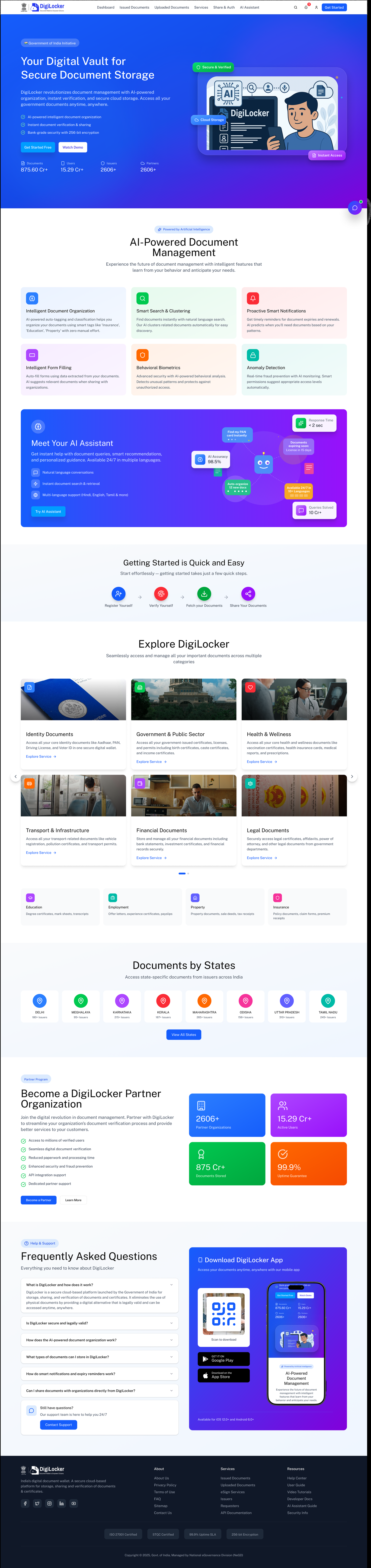
Before and after the redesign
Before
After
Simplify complexity, build trust through transparency, and give people intelligent features that anticipate what they need.
Design philosophy for the redesign